Theory question 105
Computer HardwarePaper 2, Section B
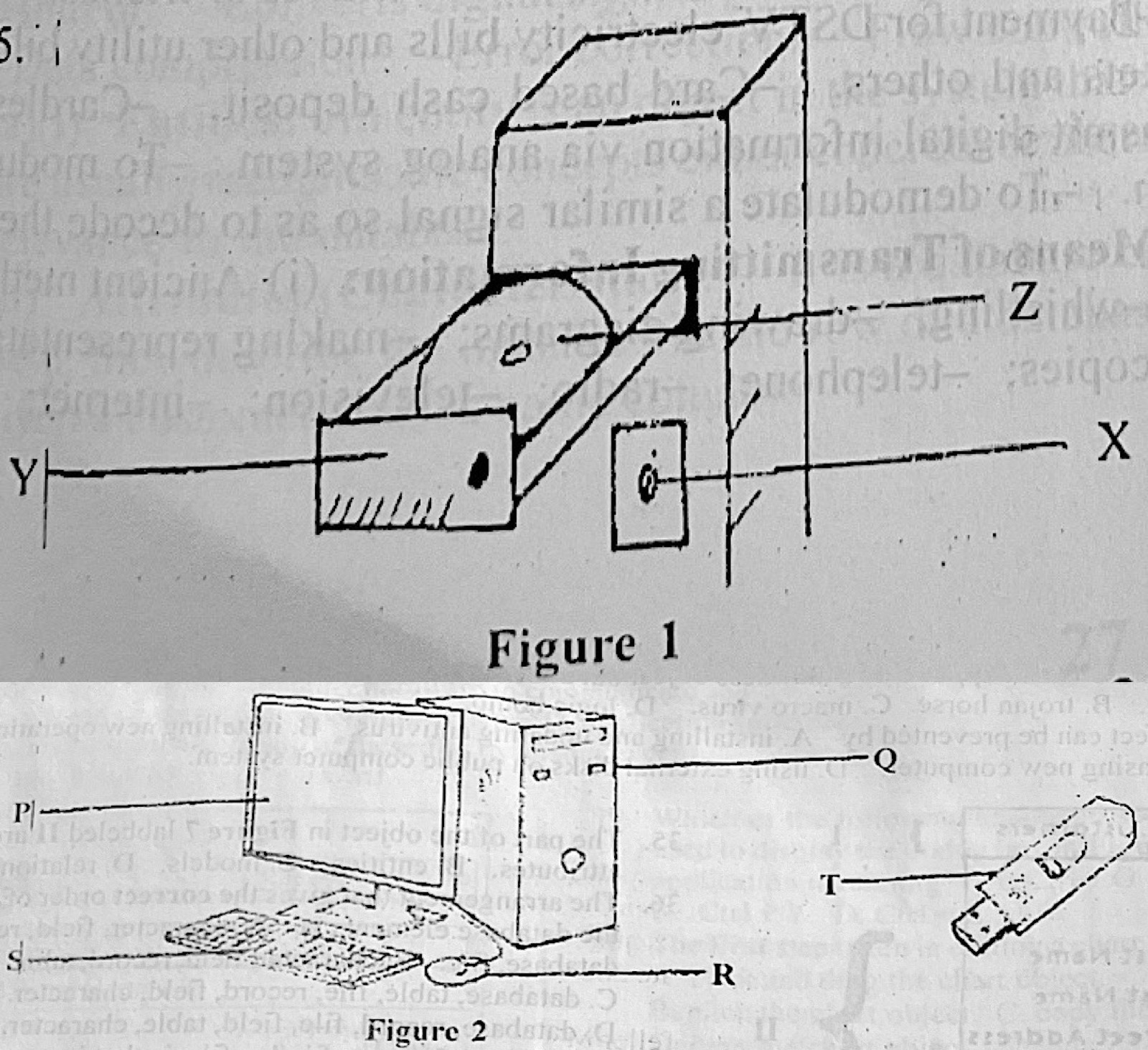
(a) Figure 1 illustrates a part of a computer system. (i) Identify the part labelled Y. (ii) State: I. the technology used in the part labelled Z. II. the function of the part labelled X. III. one maintenance practice for the part labelled Z.
(b) Figure 2 shows a setup of a computer system. State one function of each of the parts labelled P, Q, R, S, and T.
(c) Outline the steps taken to perform the following tasks in CorelDraw application: (i) insert a circular shape; (ii) add the caption “Happy Birthday” around the circular shape; (iii) change the colour of the caption to green.
Show the model answer
(a)(i) Y – the CD/DVD-ROM (optical disc) drive tray.
(ii) I. Optical (laser) technology – the compact disc is read by a laser.
II. X – the power/eject button, used to open and close the drive (or switch it on and off).
III. Any one: clean the disc and lens with a soft lint-free cloth or lens cleaner; hold discs by the edges; keep the drive closed and free of dust.
(b) P – monitor: displays output. Q – system unit: holds the CPU, memory and storage that process data. R – mouse: points and selects items on the screen. S – keyboard: types data and commands into the computer. T – flash drive: stores and carries data from one computer to another.
(c)(i) Select the Ellipse tool (F7); hold Ctrl and drag to draw a circle.
(ii) Select the Text tool (F8), click and type Happy Birthday; select the text, choose Text → Fit Text to Path and click the circle.
(iii) Select the caption and click green on the colour palette.
Z is a compact disc, so the technology is optical (laser).